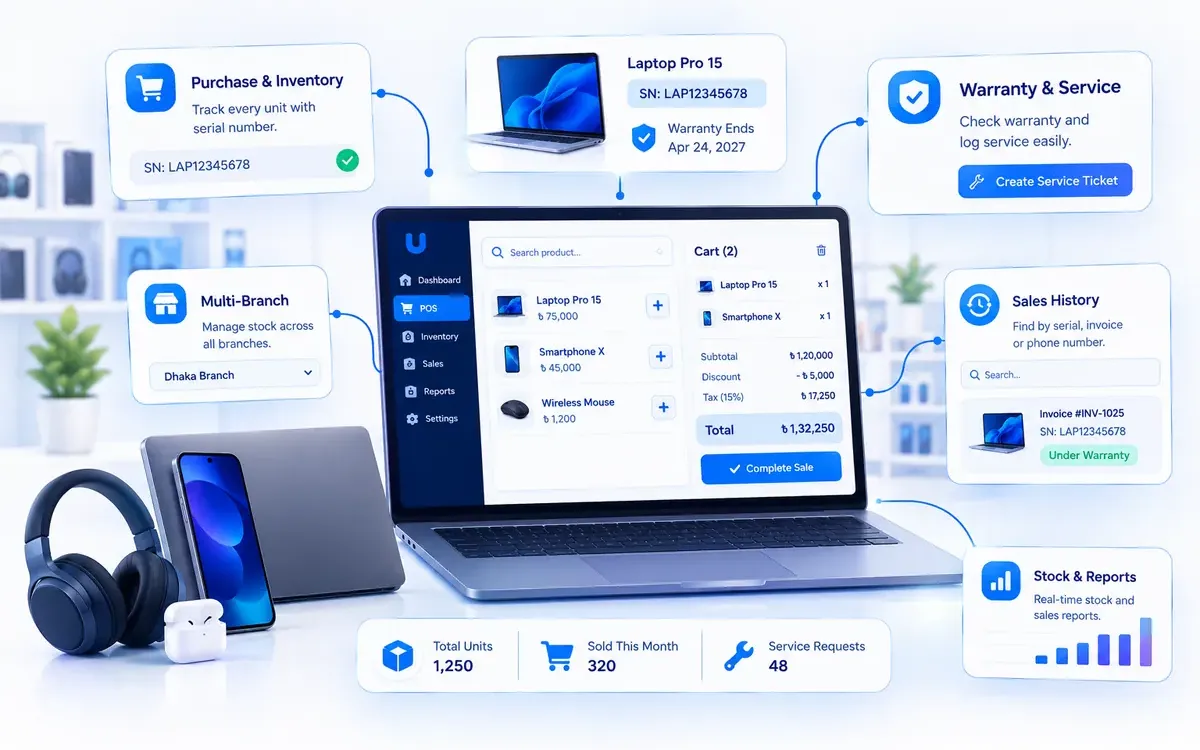
The best business operating system for an electronics or computer shop in Bangladesh is one that tracks every individual unit by its serial or IMEI number, prints the warranty on the customer's invoice, finds any past sale in seconds, and keeps stock, purchases, sales and accounts in one system across every branch. A generic retail POS counts how many of a model you have. An electronics shop needs to know which exact machine it sold, to whom, and until when it is under warranty.
This guide explains what that means in practice for mobile phone shops, laptop and desktop stores, computer accessories and component sellers, and home appliance dealers. It covers what to look for, how the common options compare, and where SigmaTurn fits. Disclosure: GiveTurn builds SigmaTurn, so we have a stake in the answer. We have written this as the guide we would want as a shop owner, including a section on when you should choose something else.
The short answer
If you sell phones, laptops, desktops, components or appliances and you still keep warranty records in a notebook or Excel, choose a system that records each unit's serial or IMEI from the supplier purchase, picks the exact unit at checkout, prints warranty on the invoice, and lets you look up any sale by serial, invoice or phone number. If it also runs your accounts, staff and multiple branches from the same data, that is a business operating system rather than just a POS.
Why do electronics and computer shops need more than a normal POS?
A grocery shop sells identical items. One packet of biscuits is the same as the next, so a POS only needs to know the quantity. An electronics shop is different. Two laptops of the same model are still two different machines, each with its own serial number, its own warranty date and sometimes its own story when it comes back to the counter.
Because a general-purpose till can't keep track of that, most shops in places like Dhaka's Multiplan Center, IDB Bhaban or Bashundhara City, and in markets across Chattogram and Sylhet, end up running a second, manual system next to the till:
- A warranty register in a notebook, written by hand at the counter, and hard to search when the page is months old.
- Serial numbers scribbled on the back of invoices, or not recorded at all for accessories and components.
- Stock counted by model, not by unit, so nobody knows whether the laptop on the shelf is the one that came in last week or last year.
- Old bills searched by hand when a customer walks in with a faulty adapter and says "I bought it here".
- Purchases and sales re-typed into the accounts at night, so profit is only known at month-end, if at all.
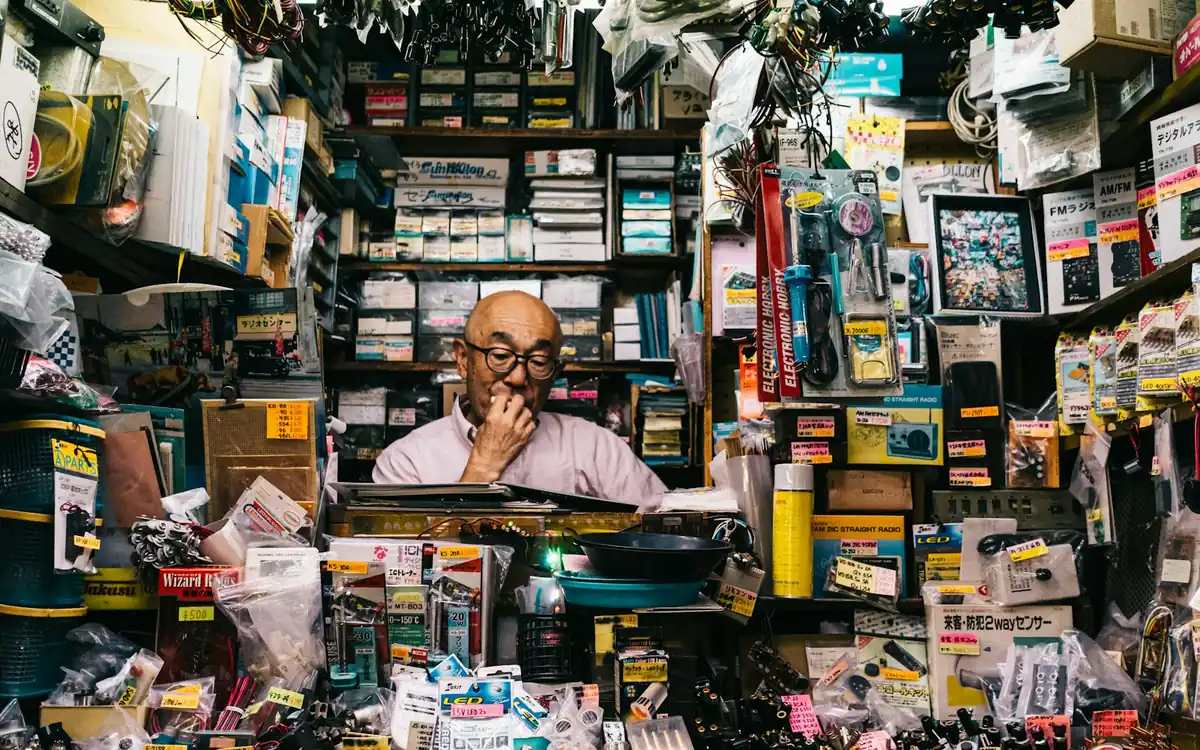
Each of these works until the shop gets busy. The cost shows up as disputed warranty claims, units that "disappear" between the supplier invoice and the shelf, slow service at the counter, and an owner who can't see stock or sales without calling each branch.
What should a business operating system do for an electronics shop?
A business operating system runs a company's sales, stock, purchases, accounts and staff on one shared database and one login. For an electronics or computer shop, it should cover these jobs, all reading the same records:
- Serial and IMEI tracking for every unit. Each phone, laptop or component is recorded individually, not just as a quantity.
- Serial-wise stock-in from supplier purchases. Serials are captured when goods arrive, so the system knows exactly which units you own.
- Exact unit selected at checkout. The cashier scans or searches for the specific serial being sold, and that unit leaves stock.
- Warranty printed on the invoice. The serial number and warranty period appear on the customer's bill.
- Warranty lookup in seconds. Find a past sale by serial number, invoice number or the customer's phone number.
- Claims and service jobs per customer. When a unit comes back, the claim is logged against that customer and that sale.
- Live stock by product, model and branch. One view of what is on every shelf, in every outlet.
- Accounts that update themselves. Sales, supplier purchases and payments post to the books automatically.
- Staff and branches in the same system. Attendance, payroll and branch-level permissions without a separate HR tool.
Notebook vs Excel vs basic POS vs business operating system
| What you need | Notebook / register | Excel sheet | Basic retail POS | Business operating system |
|---|---|---|---|---|
| Track each unit by serial or IMEI | By hand, if written | Possible, but manual | Usually quantity only | Yes, from purchase to sale |
| Warranty on the invoice | Handwritten | No | Sometimes, as free text | Printed with the serial and period |
| Find a past sale quickly | Search pages by hand | Ctrl+F, if the file is current | By invoice number | By serial, invoice or phone number |
| Warranty claims and service jobs | Separate book | Separate sheet | Rarely | Logged against the customer and sale |
| Stock across branches | Phone each branch | One file per branch | Often one shop only | Per-branch stock with a head-office view |
| Accounts | Re-typed later | Re-typed later | Separate accounting software | Sales, purchases and payments post automatically |
| Staff attendance and payroll | Separate | Separate | No | In the same system |
A notebook or Excel sheet is fine for a single small counter with a few sales a day. Once you have staff on the counter, hundreds of serialised units, or a second outlet, the gaps between tools are where stock goes missing and warranty disputes start.
How SigmaTurn's Electronics & Computer Shop module works
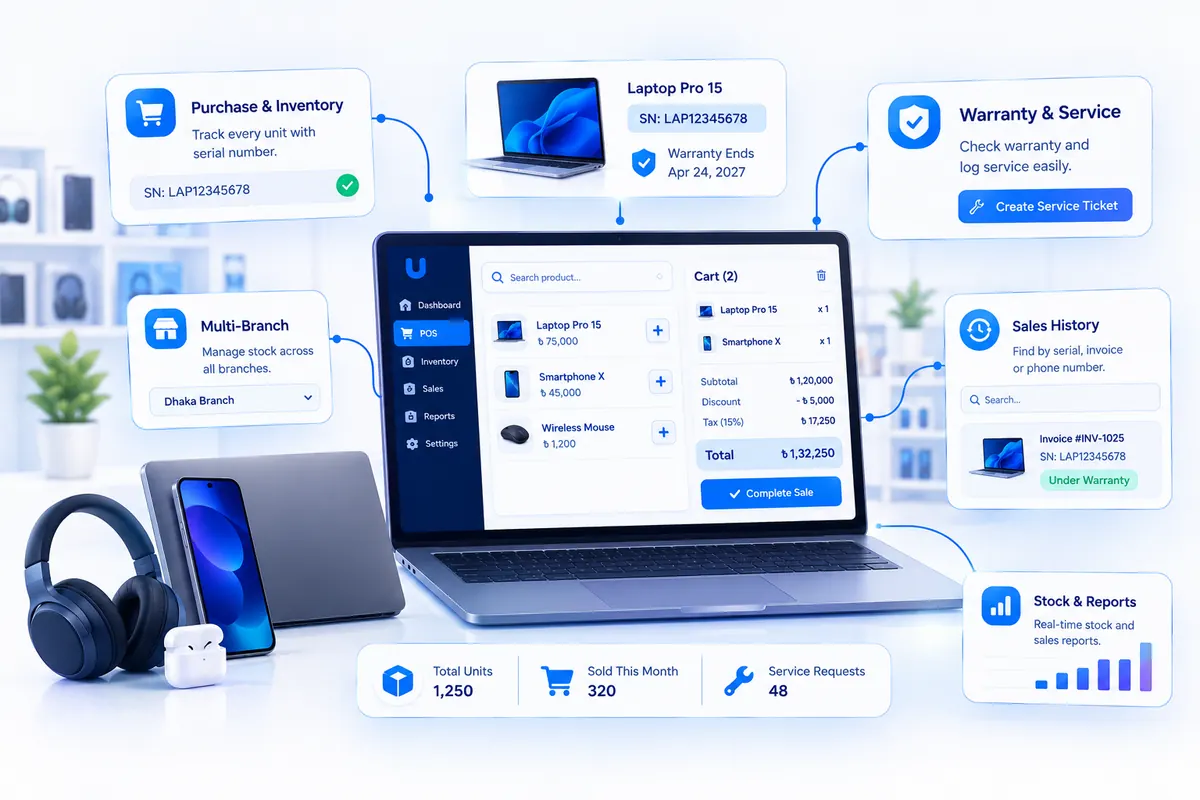
SigmaTurn is GiveTurn's AI-powered business operating system. Its Electronics & Computer Shop module is built for phones, laptops, desktops, components, accessories and the after-sales work that comes with them. It runs on the same POS, Inventory, Purchase and Finance modules as the rest of the platform, so a unit is recorded once and every part of the business reads that same record. Here is how a unit moves through it.
1. Purchase: every unit goes into stock with its serial or IMEI
When stock arrives from the supplier, each unit is entered with its serial or IMEI number. The system then knows which specific machines are on the shelf, not only how many of a model you have. The supplier purchase updates stock and the books at the same time.
2. Sale: the exact unit is picked at checkout
At the counter, the cashier scans the barcode or searches for the exact unit being sold. The POS calculates the subtotal, discount, tax, total and change, and the serial number and warranty period are printed on the customer's invoice. That specific unit leaves stock the moment the sale closes, and the sale lands in Finance with the rest of your revenue.
3. After-sales: warranty lookup and service jobs
When the customer comes back, staff find the sale by serial number, invoice or phone number, see exactly when it was sold and whether it is still under warranty, and log the claim or service job against that customer. Nobody digs through paper files, and the customer's full purchase history sits in one client record.
4. Branches and accounts: one view for the owner
A shop with several outlets runs each one as its own branch through Branch Management. Each branch has its own register, stock and sales; branch managers see only their branch; stock can be transferred between branches and counted with the Android app's barcode scanner; and head office sees every branch together. Because the cashiers and technicians are already in People & HR, attendance and payroll run from the same system too.

Want to see it for yourself? Visit the official SigmaTurn website, or read more about the platform on our SigmaTurn product page.
Mobile phone shops: IMEI tracking and BTRC's NEIR
For mobile phone shops in Bangladesh, the IMEI number matters for more than warranty. The Bangladesh Telecommunication Regulatory Commission (BTRC) runs the National Equipment Identity Register (NEIR), which links each handset's IMEI to its registration so that illegal, cloned or unregistered phones can be blocked from mobile networks. BTRC announced it would enforce NEIR nationwide from 16 December 2025, and in 2026 it said it would resume its crackdown on illegal handsets.
Anyone can check a handset's status by sending KYD <15-digit IMEI> by SMS to 16002; dialling *#06# on the phone shows its IMEI. A careful phone shop checks this before it takes a handset into stock, and keeps the IMEI on record for every unit it sells.
A business operating system doesn't replace BTRC's check, and SigmaTurn doesn't claim to connect to NEIR. What it does is keep a permanent record of which IMEI came from which supplier, when, and which customer bought it. If a handset is ever questioned, you can show where it came from and where it went in seconds instead of searching old bills.
Warranty and service: where most shops lose time and trust
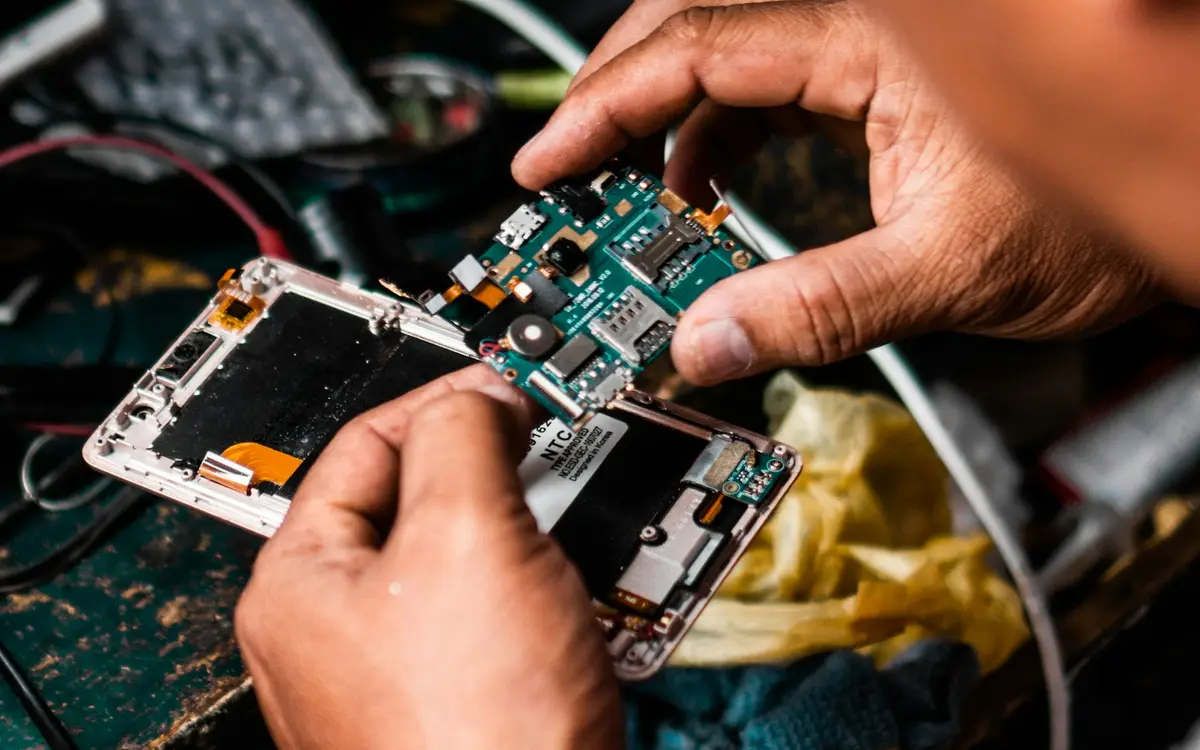
Warranty disputes usually come down to one question: can the shop prove when and to whom this exact unit was sold? With a paper register, the answer depends on handwriting and on whether someone remembered to write it down. With serial-level records, the answer is on screen.
- Print the warranty on every invoice. The customer has proof, and so do you.
- Look up by what the customer has. Most customers lose the invoice but keep the phone number or the device. Search by serial, invoice or phone number.
- Log every claim against the sale. Over time you see which models and which suppliers come back most often, which helps you choose what to stock.
- Keep supplier warranty in mind. When a unit goes back to the supplier or brand service centre, having its purchase record and serial ready speeds up the claim.
Clear warranty records also protect the shop. Bangladesh's Consumer Rights Protection Act 2009 lets customers complain to the Directorate of National Consumer Rights Protection about goods that aren't as promised. A printed warranty and a searchable sale record make it much easier to show what was actually sold and promised.
How to choose a business operating system for your electronics shop: a 10-point checklist
Use this checklist with any product you are considering, including ours. Ask the vendor to demonstrate each point with your own data, not a sample.
- 1. Serial and IMEI at stock-in. Can you record serials for a whole supplier invoice quickly, for example by scanning, rather than typing each one?
- 2. Exact unit at checkout. Does the sale remove that specific serial from stock, or just reduce the quantity?
- 3. Warranty on the invoice. Ask to see a printed invoice with the serial number and warranty period on it.
- 4. Lookup speed. Pick a sale from three months ago and time how long it takes to find it by serial, invoice and phone number.
- 5. Claims and service. Can a returned unit be logged against the original customer and sale?
- 6. Multi-branch stock. Can you see stock per branch, transfer units between branches, and restrict branch managers to their own branch?
- 7. Accounts included. Do sales, supplier purchases and payments post to the books automatically, or do you still need separate accounting software?
- 8. VAT invoices. If you are VAT-registered, ask how the system produces the invoice format the National Board of Revenue expects (the Mushak forms) and how it helps with returns.
- 9. Payments you actually take. Cash, card, and mobile financial services such as bKash or Nagad. Confirm how each one is recorded.
- 10. Migration and support. Can you import your product list and opening stock from Excel? Is support available in Bangladesh working hours?
When SigmaTurn is not the right choice
We would rather you pick the right tool than the one we build. Here is where we would point you elsewhere, or ask you to check carefully first.
- A one-person counter with a handful of sales a day. A notebook or a simple POS app may be all you need for now.
- Instalment (EMI) sales and trade-ins. SigmaTurn's public pages don't list instalment plans or used-phone buy-back and exchange as features. If these are a big part of your business, ask the team before you commit.
- A full repair workshop. If your main business is repairs, with spare-parts usage per job and technician job cards, test whether the service logging is deep enough for you, or consider a dedicated repair-shop tool.
- Mushak VAT automation and a Bangla interface. The public site doesn't currently claim NBR VAT-return automation or a Bangla interface. If you depend on either, confirm it during the trial.
- An online store as your main channel. If most of your sales are online, check how your e-commerce platform would connect before you switch.
A 30-day rollout plan for an electronics or computer shop
Switching systems in a busy shop fails more often from rushing than from picking the wrong product. A staged plan keeps the counter open:
- Week 1: products and opening stock. Import your product list from Excel, set up brands, models and warranty periods, and count your current stock unit by unit with serial or IMEI numbers. This is the most important week, so don't rush it.
- Week 2: purchases and the counter. Record new supplier purchases with serials, and start selling through the POS. Keep your old register running alongside for a week and compare at closing.
- Week 3: warranty and service. Enter your active warranties from the old register, at least for units sold in the last warranty period, and start logging every returned unit as a claim or service job.
- Week 4: branches, staff and accounts. Add other outlets as branches, set branch manager permissions, connect staff attendance, and check that sales, purchases and payments match your accounts. Then retire the notebook.
Frequently asked questions
What is the best business operating system for an electronics shop in Bangladesh?
The best choice is one that tracks every unit by serial or IMEI from the supplier purchase, picks the exact unit at checkout, prints warranty on the invoice, finds any sale by serial, invoice or phone number, and keeps stock, accounts and branches in one system. SigmaTurn's Electronics & Computer Shop module is built for this. Judge any product with the 10-point checklist above.
What is the difference between a POS and a business operating system?
A POS handles the checkout: scanning, totals, payment and receipts. A business operating system includes the POS but also runs stock, purchases, accounts, staff, attendance and branches on the same database, so a sale updates stock and the books at the same moment without re-entry.
Can I track mobile phones by IMEI number?
Yes. In SigmaTurn, each phone goes into stock with its IMEI number when it is purchased from the supplier, the exact handset is selected at checkout, and the IMEI is printed on the customer's invoice with the warranty period.
How do I check if a phone's IMEI is registered with BTRC?
Send KYD followed by a space and the 15-digit IMEI by SMS to 16002. You can find a phone's IMEI by dialling *#06#. This check is run by BTRC's NEIR system, not by shop software.
Can I print the warranty period on the customer's invoice?
Yes. SigmaTurn prints the unit's serial number and warranty period on the customer's invoice at the point of sale.
How do I find a customer's warranty if they lost the invoice?
Search by the device's serial or IMEI number, or by the customer's phone number. The system shows when the unit was sold, to whom, and whether it is still under warranty.
Does it work for a shop with several branches?
Yes. With Branch Management, each outlet has its own register, stock and sales, branch managers see only their own branch, stock can be transferred between branches, and head office sees every branch together on one account.
Is it only for computer shops?
No. It suits mobile phone shops, laptop and desktop stores, computer accessories and component sellers, and home appliance dealers. Any shop that sells serialised products with a warranty can use it.
How do I find out what SigmaTurn would cost for my shop?
The cost depends on your team size and the modules you need. Start the free trial or contact the team through the official SigmaTurn website.
Can I try it before paying?
Yes. SigmaTurn offers a free trial. You can start it on the official SigmaTurn website.
The verdict
If you run an electronics, mobile or computer shop in Bangladesh and your warranty records live in a notebook, the single biggest improvement you can make is to track every unit by its serial or IMEI number, from the supplier invoice to the end of its warranty. A business operating system does that and also keeps your stock, accounts, staff and branches in one place, so the owner sees the whole business without phoning each counter.
Whatever you choose, run the 10-point checklist with your own stock, time a warranty lookup, and do a one-week parallel run before you retire the old register. For a wider view, read our guides to the best business operating system in Bangladesh, the best ERP software in Bangladesh and the best CRM software in Bangladesh for SMEs.
Sources and further reading
- SigmaTurn official website and our SigmaTurn product page: Electronics & Computer Shop, POS, Finance & Purchase and Branch Management modules
- The Daily Star: How to check if your mobile is illegal or not
- The Business Standard: What is the National Equipment Identity Register (NEIR)?
- The Daily Star: Unauthorised mobile phones to be blocked from Dec 16
- MEA Tech Watch: Bangladesh regulator to resume crackdown on illegal mobile handsets (May 2026)
- Photos via Unsplash (free Unsplash License): Josh Withers, Jason Leung and Clint Bustrillos. Downloaded, cropped and compressed to WebP.
Written by the GiveTurn Team
Notes from the engineers, marketers, and product builders behind 1,200+ projects for 500+ clients.