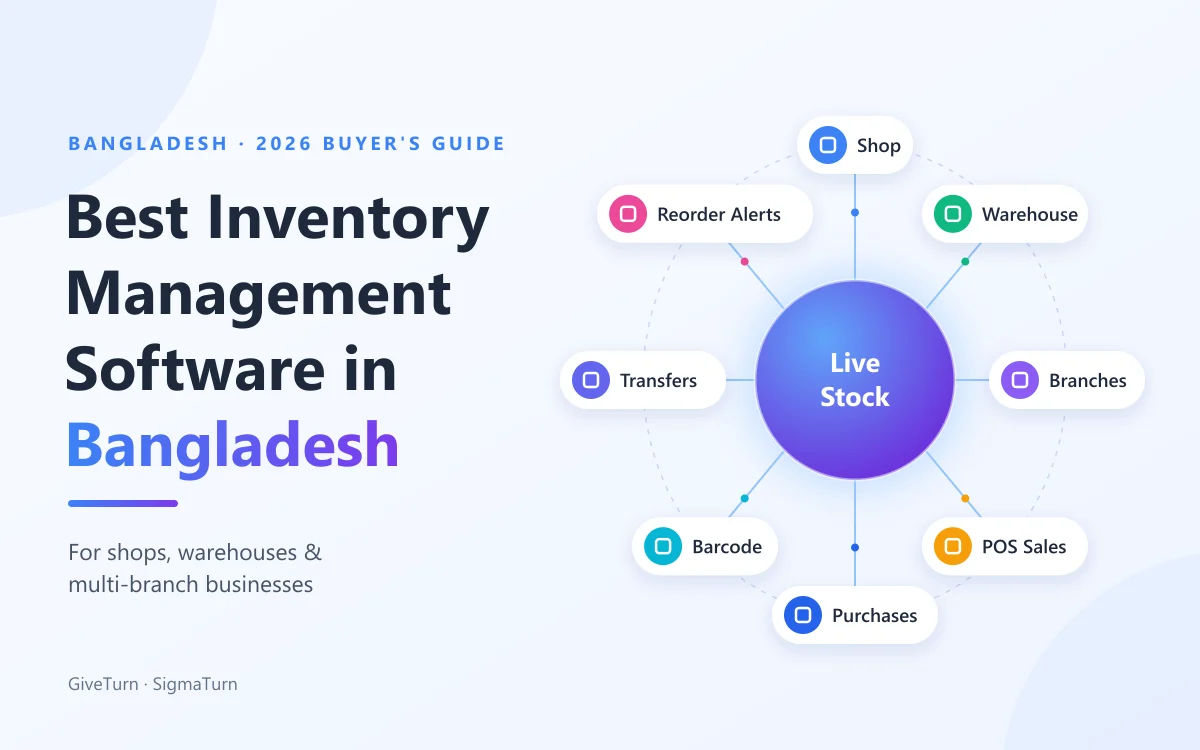
The best inventory management software in Bangladesh for most shops and growing businesses is one that updates stock automatically from every sale and every purchase, counts stock separately for each shop, godown and branch, and warns you before a fast-moving item runs out. A one-counter shop can start with a simple mobile app. A business with a warehouse or several branches is better served by inventory that sits inside a full business system, with the POS, purchasing and accounts on the same records. SigmaTurn, built by GiveTurn in Dhaka, is one such system.
This guide is for shop owners, supershop and wholesale managers, distributors and anyone who still counts stock in a notebook or an Excel sheet. It explains what inventory software does, the features that matter for Bangladeshi businesses, how the main options compare, what it costs and how to switch without closing the shop for a day. Disclosure: GiveTurn builds SigmaTurn, so we have a stake in the answer. We have written this as the guide we would want as a buyer, including a section on when you should choose something else.
Key takeaways
1) Inventory software is only useful if stock changes automatically when you sell and buy. If staff have to update it by hand, it will drift just like your notebook. 2) Single shops need fast stock-in, a barcode POS and low-stock alerts. Warehouses need purchase orders and accurate counts. Multi-branch businesses need per-branch stock, tracked transfers and a head-office view. 3) In Bangladesh, also check bKash and Nagad payments, VAT on invoices, supplier credit, Android access and local support. 4) Test it with a real week of your own purchases and sales before you pay.
What is inventory management software?
Inventory management software is a system that keeps a live record of what stock you have, where it is, what it cost and how fast it sells. Every stock-in (a purchase from a supplier, a return from a customer) adds to the count, and every stock-out (a sale, a transfer to another branch, damage) takes away from it, so the number on screen matches the shelf.
You will also see it called stock management software, inventory control software, a stock register app or, for larger operations, warehouse management software. The core job is the same: replace the khata, the Excel sheet and the evening phone call with one up-to-date record of your stock.
Why does stock never match in most Bangladeshi shops?
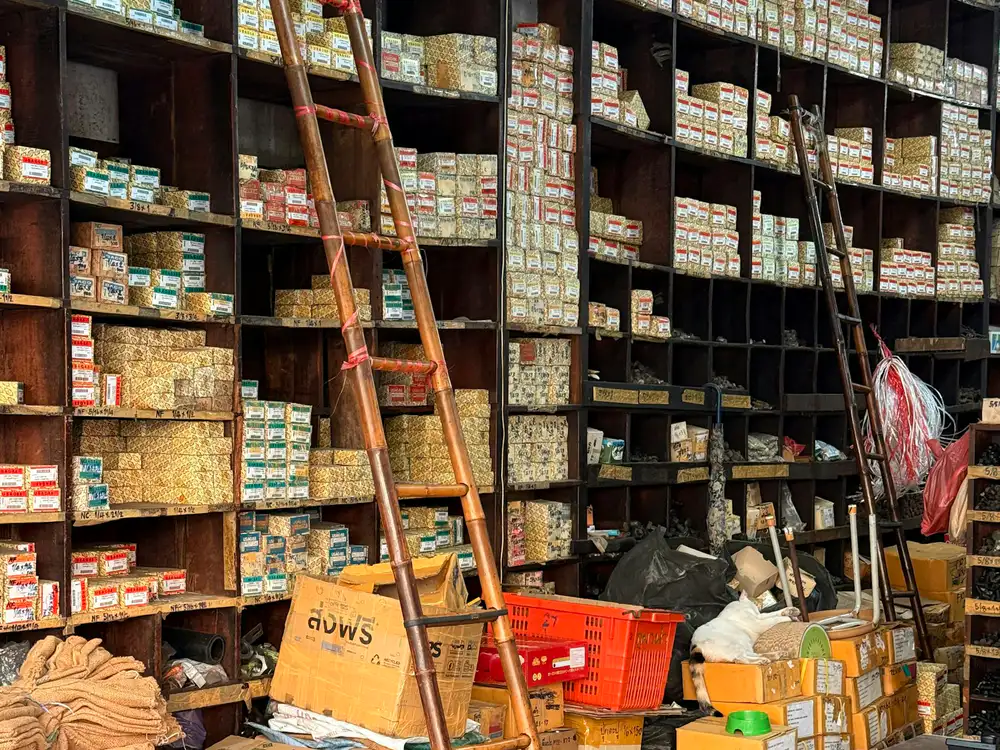
Ask any shop or godown owner and you will hear the same complaints. The problem is rarely dishonest staff. It is that stock is recorded in several places and reconciled late, if at all:
- Sales and stock live in different places. The cash memo or POS records the sale, but the stock register is updated later, from memory.
- The godown is invisible from the shop. A customer asks for an item, the salesman says "out of stock", and a full carton is sitting in the godown.
- Branches are counted by phone. Every evening someone calls each branch manager for numbers, and every month the totals don't add up.
- Reordering is guesswork. Fast sellers run out before Eid or a price change, while slow items sit on the shelf for a year and tie up cash.
- Purchases aren't matched to supplier bills. Short deliveries, damaged cartons and price differences get noticed weeks later, if at all.
- Nobody knows the real profit per item, because the buying price, transport and discounts are scattered across bills and notebooks.
What features should inventory management software have?
Not every business needs every feature, but these are the ones that decide whether the software actually keeps your stock right:
Automatic stock updates
Every POS sale deducts stock the moment it closes, and every purchase adds to it, with no end-of-day re-entry.
One product catalog
Each product exists once, with its code, barcode, buying price and selling price, and the same record is used by purchasing, inventory and the POS.
Barcode scanning
Scan items at the counter and during stock counts, using a barcode scanner or a phone camera, instead of typing product names.
Purchase orders & suppliers
Raise purchase orders, receive stock against them, and keep supplier details and bills in one place.
Per-branch stock & transfers
Stock counted separately for each shop, godown or branch, with every transfer between them recorded at both ends.
Low-stock & reorder alerts
A warning when an item drops below its minimum level, so you reorder before it runs out instead of after.
Stock reports
Stock on hand, fast and slow movers, stock value and sales by branch, available any time without someone compiling them.
Roles & permissions
Cashiers sell, store keepers receive stock, branch managers see only their branch, and the owner sees everything.
Depending on what you sell, you may also need serial or IMEI tracking (mobile phones, laptops, electronics), batch and expiry dates (pharmacies, food and FMCG), size and colour variants (clothing and footwear), or multiple units such as buying by the carton and selling by the piece. These vary a lot between products, so ask to see them working before you buy.
Notebook, Excel or inventory software: what's the difference?
| What you need | Notebook (khata) | Excel sheet | Inventory management software |
|---|---|---|---|
| Stock after a sale | Updated later, from memory | Updated when someone has time | Deducted the moment the sale closes |
| Stock after a purchase | Written in by hand | Typed in from the supplier bill | Added when the purchase is received |
| Godown and branches | A separate book for each | A separate file or tab for each | Per-location stock with a combined view |
| Transfers between locations | Often not recorded | Two manual entries that often don't match | One transfer, recorded at both ends |
| Knowing when to reorder | Look at the shelf | Scan the sheet | Automatic low-stock alert |
| Several people at once | One book, one person | File conflicts and old copies | Everyone works on the same live records |
| Owner's view from outside | Phone call | Ask for the file | Live dashboard on a phone |
Excel works for a small shop with a few dozen products and one person in charge of stock. Once you have hundreds of items, more than one person selling, a godown or a second branch, the sheet can't keep up with the speed of real sales, and the gap between the screen and the shelf grows every week.
What are the best inventory management software options in Bangladesh?
There is no single best product for every business. The right choice depends on your size, how many locations you run and what else you need the software to do. These are the options Bangladeshi businesses commonly consider, described by how each vendor positions itself. Check every claim in a demo with your own products.
1. SigmaTurn: inventory inside a full business system for shops and multi-branch businesses
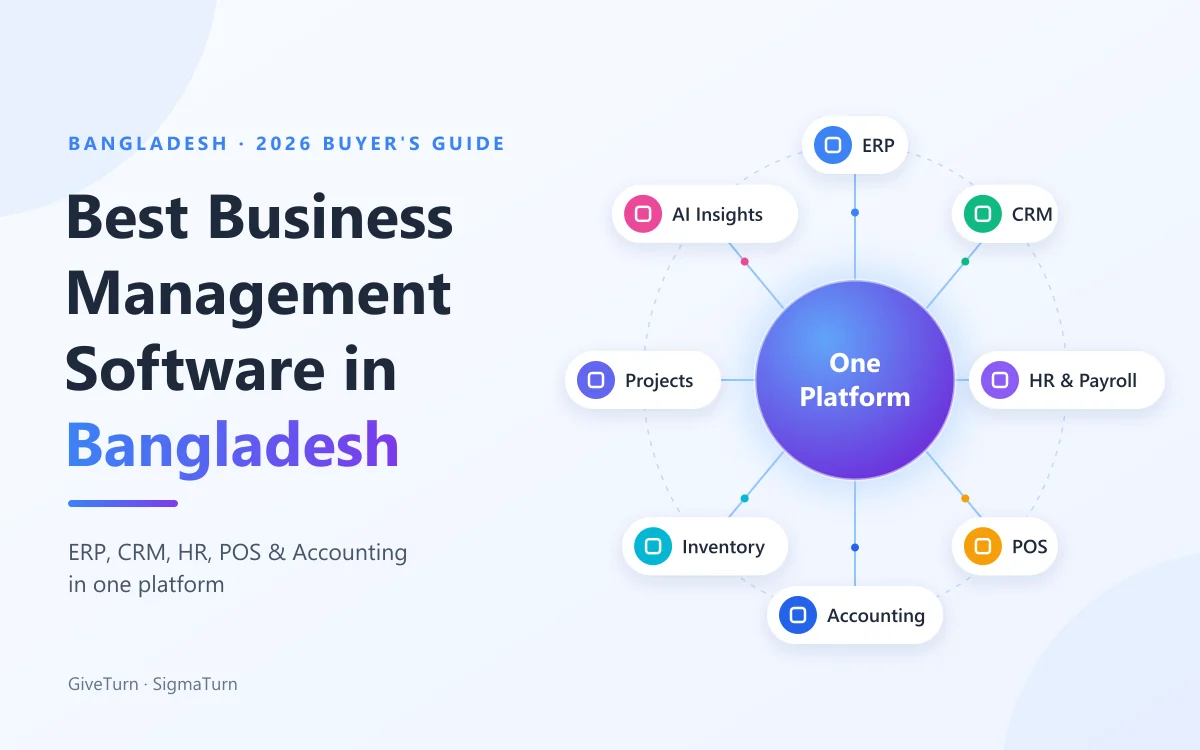
SigmaTurn is GiveTurn's AI-powered business operating system. Its inventory shares one product catalog with Purchase and the POS, so every sale deducts stock straight away and every supplier purchase updates stock and the books together. Stock is counted per branch, transfers between branches are tracked, branch managers see only their own branch, and AI Insights raises reorder alerts when an item crosses its threshold. The same system runs HR and payroll, CRM and accounting. Best for: retail, wholesale, distribution, restaurant and electronics businesses with a godown or several branches. Check: its public pages don't claim batch and expiry tracking, size and colour variants, a Bangla interface or NBR VAT-return automation.
2. Hishabee: mobile-first app for small shops
Hishabee presents itself as a mobile-first business app for small Bangladeshi shops, with product lists, stock tracking, low-stock alerts, a POS, billing and a digital khata for customer dues, and it advertises a free tier. Best for: a single small shop that wants to move off paper quickly using a phone. Check: how well it handles a separate godown, several branches, purchase orders and staff roles as you grow.
3. TallyPrime: accounting first, with inventory built in
TallyPrime is a widely used accounting package that includes inventory, and Tally's Bangladesh material describes features such as godown (location) management and batch tracking. Best for: traders and wholesalers whose accountant already works in Tally. Check: the counter POS, branch-level access for managers, and where you will run HR, payroll and customer management, which sit outside Tally.
4. Zoho Inventory: international cloud inventory app
Zoho Inventory is a cloud inventory product from Zoho that positions itself for businesses selling across several channels and warehouses, and it connects with Zoho Books for accounting. Best for: traders and online sellers comfortable with an international cloud product. Check: local payment methods such as bKash and Nagad, VAT formats, a counter POS that fits your shop, and support during Bangladesh working hours.
5. Odoo Inventory: open-source, for complex warehouses
Odoo Inventory is part of the open-source Odoo suite and is built for detailed warehouse operations, such as multiple warehouses and configurable routes for receiving and dispatch. In Bangladesh it is usually set up by a local implementation partner. Best for: larger distributors and warehouses with complex flows and a budget for implementation. Check: implementation and customisation cost, hosting, and the quality of the partner. For factories, also read our guide to the best ERP software in Bangladesh.
| Option | Type | Best for | Watch out for |
|---|---|---|---|
| SigmaTurn | Inventory inside an all-in-one business OS (cloud) | Shops, wholesalers and distributors with a godown or several branches | Batch/expiry, variants, Bangla UI and VAT-return automation not claimed |
| Hishabee | Mobile-first shop app | A single small shop moving off paper | Godown, multi-branch and staff-role depth |
| TallyPrime | Accounting with inventory | Traders whose accountant already uses Tally | Counter POS, HR and CRM need separate tools |
| Zoho Inventory | International cloud inventory app | Multi-channel and online sellers | Local payments, VAT formats and POS fit |
| Odoo Inventory | Open-source warehouse module | Large, complex warehouses | Needs a strong implementation partner |
How SigmaTurn manages inventory for shops, warehouses and branches
In SigmaTurn, inventory isn't a separate app that syncs with your POS and accounts. It is part of the same system, so a single action updates everything that depends on it. Here is how it works in practice.
One product catalog for purchase, stock and the POS
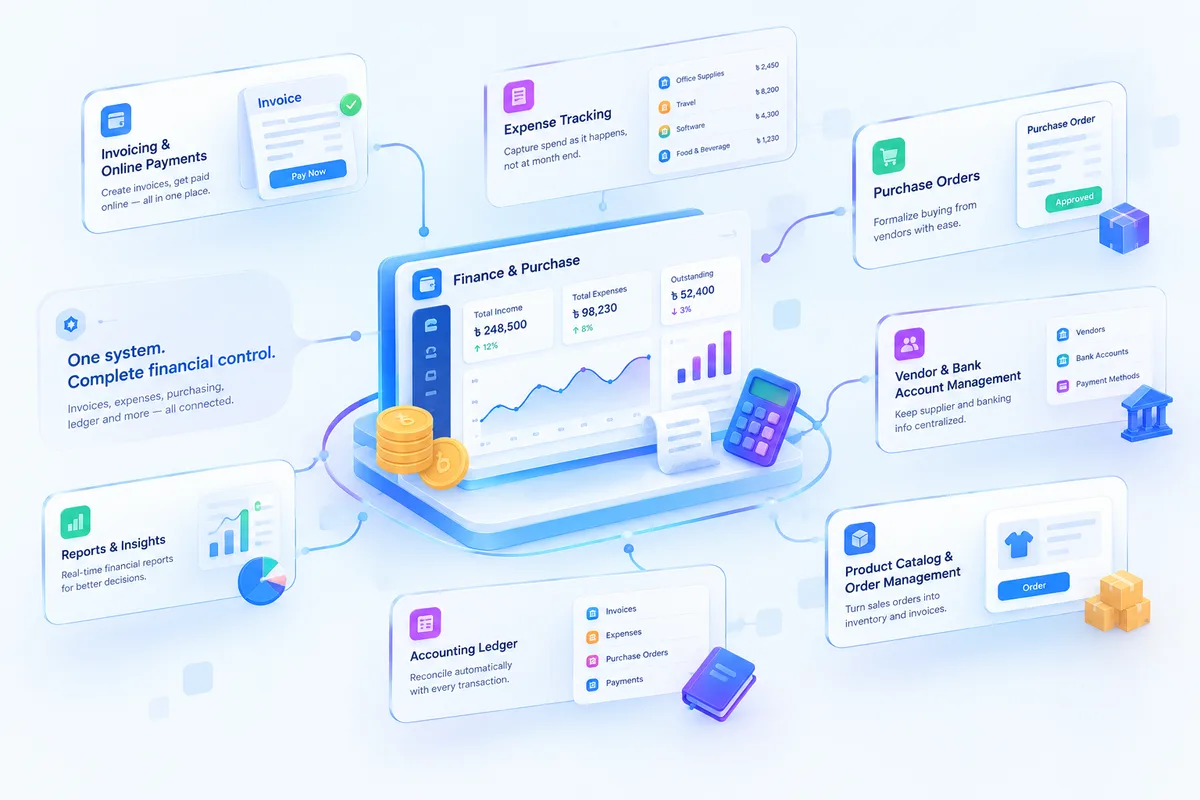
Each product is created once and used by Purchase, Inventory and the POS. Update a price once and every register charges the new price. Purchase orders formalise buying from vendors, supplier details and bank accounts are kept in one place, and when a purchase is received, stock and the books are updated together.
Stock that updates the moment you sell
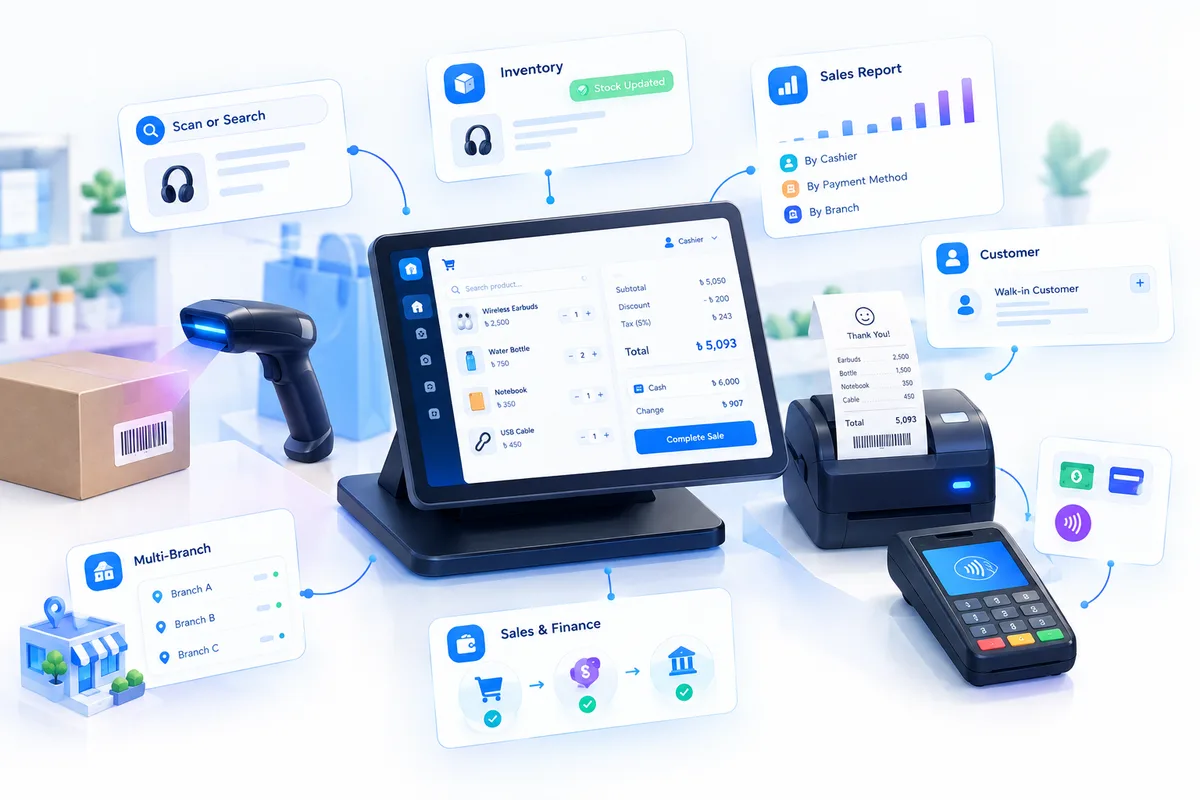
At the counter, the cashier scans a barcode or searches by name, and discount, tax and total are worked out automatically. Closing the sale deducts the sold quantities from stock straight away, so the count on screen matches the shelf with no end-of-day adjustment. Daily sales reports break the day down by cashier, payment method and branch.
Per-branch stock, transfers and a head-office view
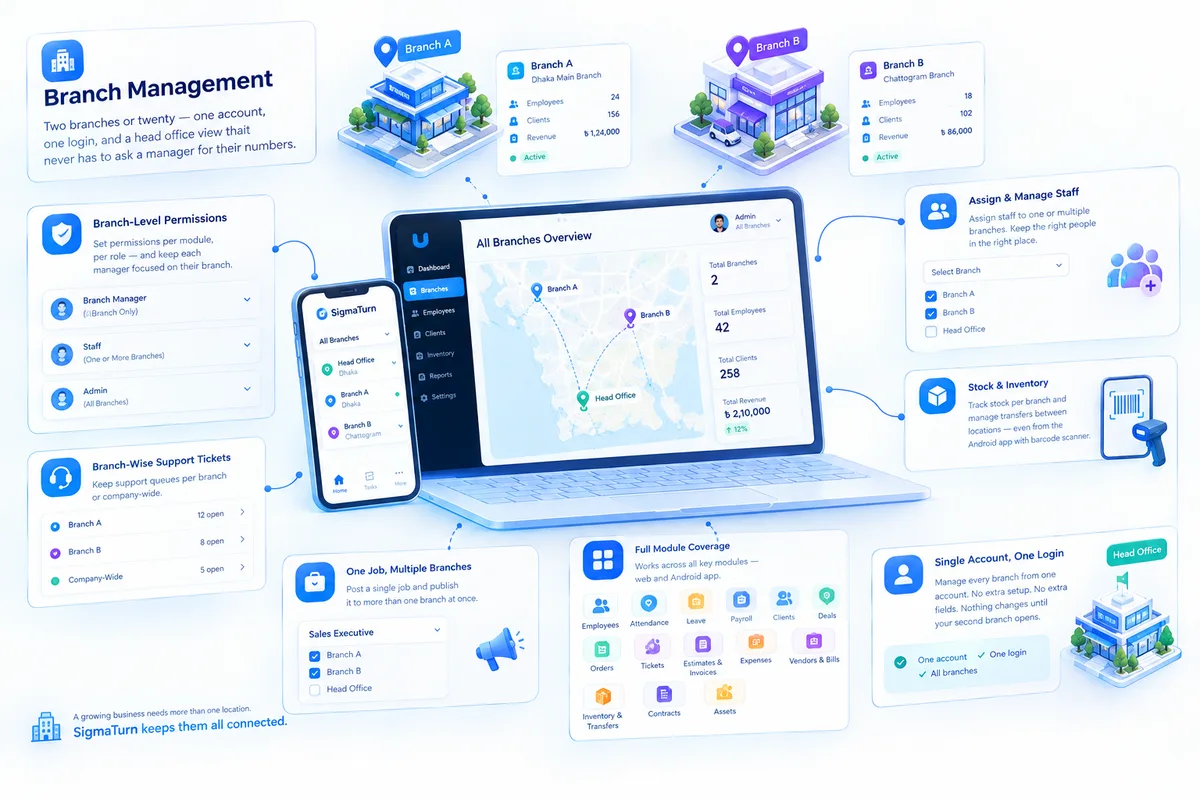
With Branch Management, every shop or outlet runs on the same account. Stock is counted per branch, and transfers from one branch to another are tracked, so stock leaving one location shows up at the other. Branch managers see only their own branch's stock, sales and bills, while head office sees all branches together without phoning anyone. Stock counts can also be done with the barcode scanner in the Android app, which syncs once the phone reconnects.
Reorder alerts and stock forecasts
SigmaTurn's AI Insights module runs continuous checks on your live data and alerts the right person when a stock level crosses its threshold, so you reorder before a fast seller runs out. It also projects future inventory needs from past sales patterns, which helps before busy seasons such as Eid.

Serial and IMEI tracking for electronics shops
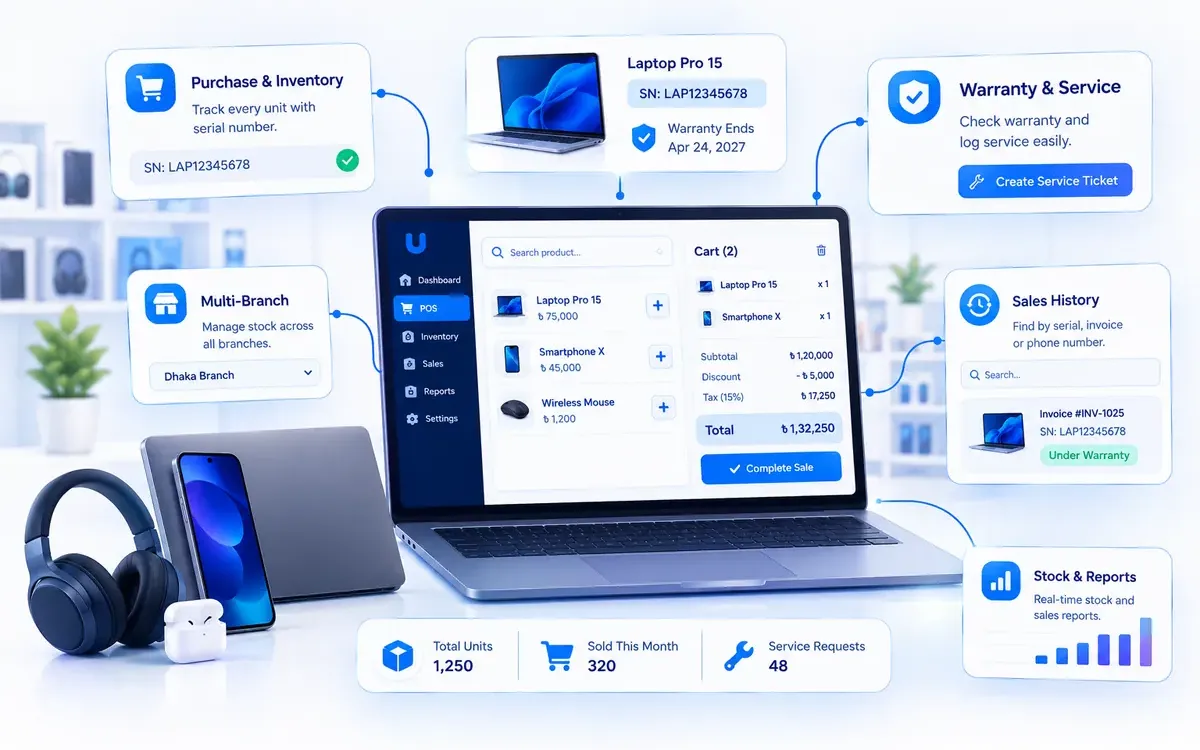
For mobile, laptop and electronics shops, the Electronics & Computer Shop module adds serial and IMEI tracking. Each unit is stocked in with its serial number from the supplier purchase, the exact unit is picked at the counter, the serial and warranty are printed on the invoice, and warranty lookups take seconds. Read our guide to the best software for electronics and computer shops for the full workflow.
Because inventory sits inside the same system as HR and payroll, CRM and accounting, you don't need separate tools for the rest of the business. Read more on our SigmaTurn product page or visit the official SigmaTurn website.
Which inventory features does your type of business need?
| Business type | Features to prioritise | Ask the vendor about |
|---|---|---|
| Grocery shop or supershop | Barcode POS, fast stock-in, low-stock alerts, daily sales | Selling loose items by weight, and expiry dates |
| Pharmacy | Batch and expiry tracking, purchase from distributors | Expiry alerts and returns to the supplier |
| Clothing and footwear shop | Size and colour variants, barcode labels | How variants appear in stock reports |
| Mobile, electronics or computer shop | Serial and IMEI tracking, warranty lookup | Returns and replacement of a specific unit |
| Hardware, spare parts or building materials | Large product catalog, product search, carton-and-piece units | Wholesale and retail prices for the same item |
| Wholesale and distribution | Purchase orders, godown stock, supplier and customer dues | Credit limits and delivery tracking |
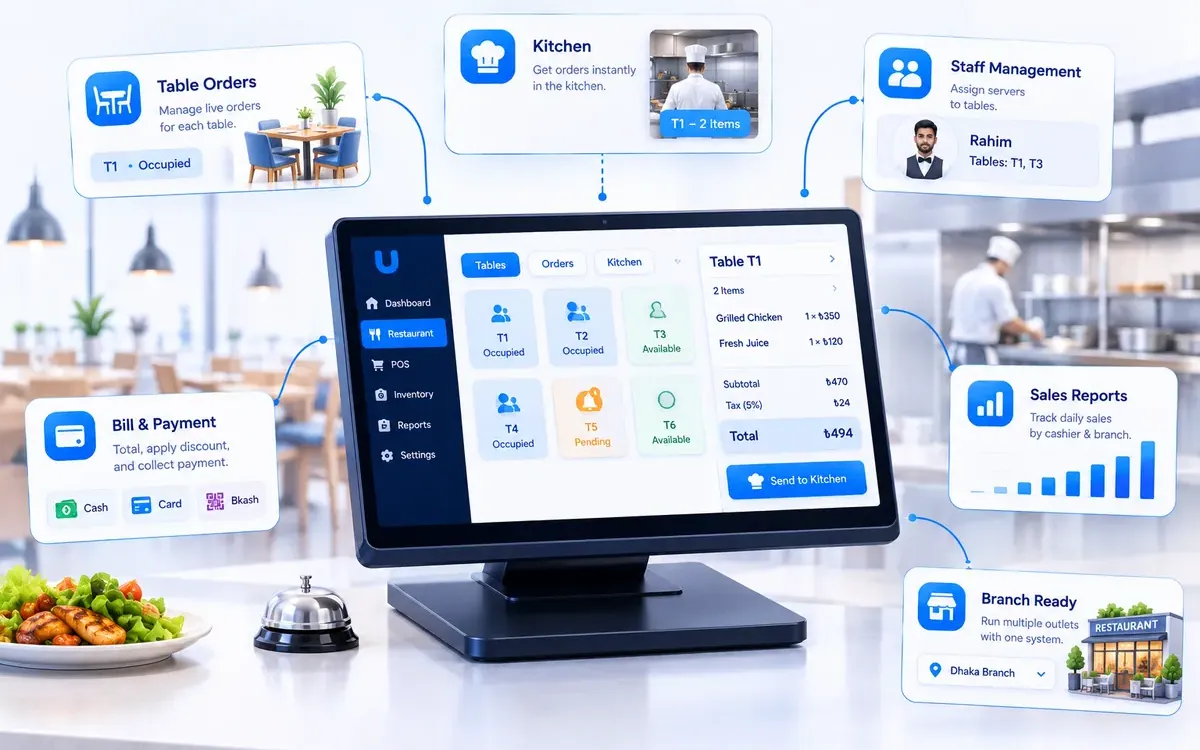
| Multi-branch retail or restaurant group | Per-branch stock, transfers, branch-scoped access | A head-office view across all branches |
For a closer look at your industry, read our guides for restaurants and cafés and electronics and computer shops.
Inventory management for multi-branch businesses
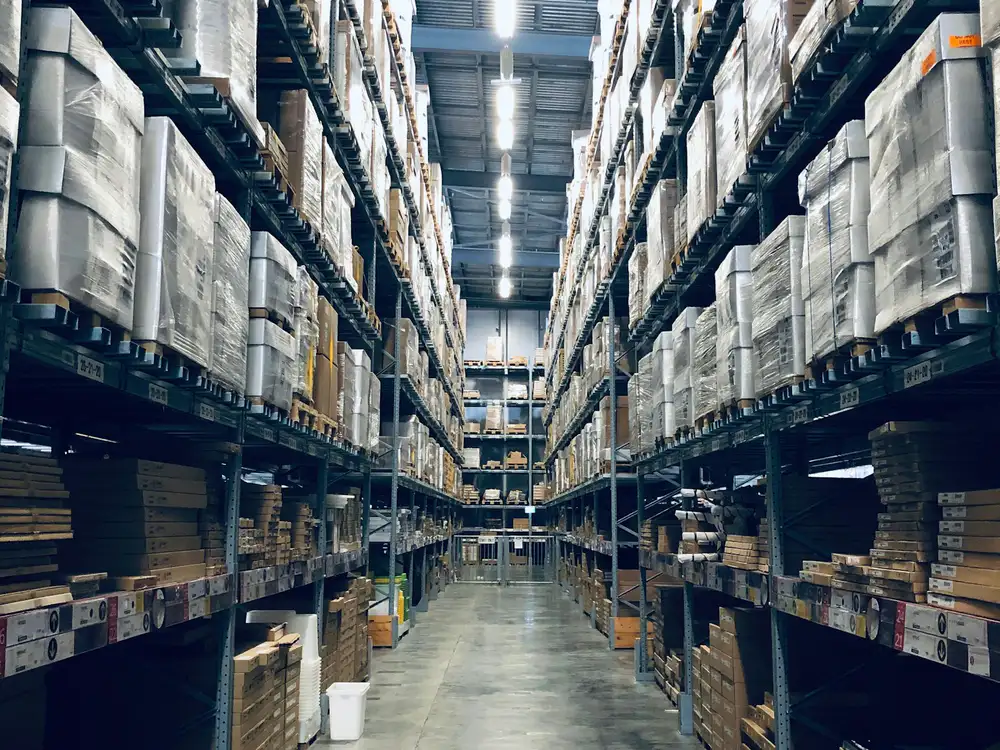
A second branch is where most inventory systems succeed or fail. With one shop, a bit of drift is annoying. With three shops and a godown, it becomes impossible to know what you actually own. Before choosing software for a multi-branch business, make sure it can do these five things:
- Separate stock for each location. Every shop and godown should have its own count, plus one combined view for head office.
- Transfers recorded at both ends. When 20 cartons leave the godown for Branch B, the godown should go down by 20 and Branch B should go up by 20 in the same transaction.
- Branch-level access. A branch manager should see and change only their own branch's stock, sales and bills.
- One price list. A price changed at head office should apply at every register, unless you deliberately set branch prices.
- Branch-wise reports. Sales, stock value and fast and slow movers for each branch, side by side, without exporting and combining sheets.
How to calculate when to reorder stock
A reorder point is the stock level at which you should place a new order, so that new stock arrives before the old stock runs out. The common formula is:
Reorder point formula
Reorder point = (average daily sales × supplier lead time in days) + safety stock. Safety stock is the extra you keep for busy days and late deliveries.
Worked example (illustrative numbers): a grocery shop sells an average of 40 bottles of soybean oil a day, and its supplier delivers 3 days after an order. It keeps a safety stock of 60 bottles. The reorder point is (40 × 3) + 60 = 180 bottles. When stock drops to 180, it's time to reorder. Before Eid, when daily sales may double, the reorder point should rise too. Good inventory software lets you set a minimum level for each product and alerts you when it's reached, so nobody has to do this sum every morning.
What should you check before buying inventory software in Bangladesh?
International reviews won't tell you how a product handles Bangladeshi realities. Ask every vendor, including us, about these points:
- Local payments. How are bKash, Nagad, card, bank transfer and cash recorded, and do they appear correctly in the daily sales report?
- VAT on invoices. Can you set VAT rates yourself and show them on every invoice? How does it handle Mushak forms, and does it work alongside an Electronic Fiscal Device (EFD) if you are required to use one? Confirm current rules with NBR or your VAT consultant.
- Supplier and customer credit. Many purchases and wholesale sales are on credit (baki). Check that dues to suppliers and from customers are tracked alongside stock.
- Units and prices. Buying by the carton and selling by the piece, and different wholesale and retail prices for the same item.
- Internet and power cuts. What happens at the counter or during a stock count when the connection drops?
- Android access. Can store keepers and branch managers receive stock and count it from a phone?
- Language. If your staff need a Bangla interface or Bangla product names, ask to see it before you buy.
- Local support. Is support available in Bangladesh working hours, including on busy days before Eid?
- Data ownership. Where is your data hosted, how are backups made, and can you export your products and stock if you leave?
How much does inventory management software cost in Bangladesh?
Prices vary widely. Some mobile shop apps advertise a free tier for basic stock and sales. Local vendors and marketplaces list inventory and POS packages from roughly ten to fifty thousand taka, either as a one-time licence or a subscription, and full ERP systems with inventory can run to several lakh taka plus implementation. International cloud apps are usually billed monthly or yearly per user or per organisation.
Compare options on a written three-year total: subscription or licence, setup, importing your products, barcode hardware, training, support and extra users or branches. Then weigh it against what poor stock control already costs you: items lost or expired on the shelf, sales lost to "out of stock", and the hours spent counting. To find out what SigmaTurn would cost for your business, start the free trial or contact the team through the official SigmaTurn website.
A 10-point checklist for choosing inventory management software
- 1. Automatic updates. Confirm that every sale and every purchase changes stock without anyone re-entering it.
- 2. Your products. Import your real product list and check that search, barcodes, units and prices work for it.
- 3. A one-week stock test. Record a week of real purchases and sales, then count the shelf and compare.
- 4. Locations. Set up your shop, godown and branches, and do a test transfer between two of them.
- 5. Reorder alerts. Set minimum levels on your top 20 items and check that the alerts reach the right person.
- 6. Counter speed. Time a busy-hour checkout with barcode scanning, discounts and bKash payments.
- 7. Roles. Test what a cashier, a store keeper and a branch manager can and can't see or change.
- 8. Your special needs. Serial and IMEI, batch and expiry, or size and colour, if your business needs them.
- 9. Reports. Check stock on hand, stock value, fast and slow movers and branch-wise sales.
- 10. Total cost and exit. A three-year cost in writing and a clear way to export your data.
When SigmaTurn is not the right choice
We would rather you pick the right tool than the one we build. Here is where we would point you elsewhere, or ask you to check carefully first:
- Pharmacies and food businesses that depend on expiry dates. SigmaTurn's public pages don't claim batch and expiry tracking. If that is central to your business, confirm it during the trial or choose a product that states it.
- Clothing and footwear shops with many sizes and colours. Size and colour variants aren't claimed on the public pages, so check how your products would be set up.
- Large warehouses with complex picking and dispatch. If you need bin locations, wave picking or configurable routes, a dedicated warehouse system or Odoo with a partner may suit you better.
- A tiny shop that only needs a stock list. If you have one counter and a few dozen products, a free mobile app may be enough for now.
- Factories. If you need bills of materials and production planning, choose a manufacturing ERP. See our ERP guide.
- NBR VAT-return automation or a Bangla interface. Neither is claimed on the public pages. If you depend on them, confirm them first.
How to switch from a notebook or Excel to inventory software in 2 weeks
You don't need to close the shop to switch. Move one step at a time and keep your old record running until the numbers match:
- Days 1 to 3: clean your product list. Put every product in one Excel sheet with a name, code or barcode, buying price, selling price and unit. Remove duplicates. Then import it.
- Days 4 to 5: count opening stock. Count each location after closing, ideally one section at a time, and enter the opening quantities. Use barcode scanning where you can.
- Days 6 to 10: run sales and purchases in the software. Every sale goes through the POS and every delivery is received against a purchase. Keep the old register running in parallel.
- Days 11 to 14: check and switch. Count your top 50 items and compare them with the software. Fix the causes of any gaps, set minimum levels for reorder alerts, and retire the old register once a full week matches.
Frequently asked questions
What is the best inventory management software in Bangladesh?
For a single small shop, a mobile-first stock app may be enough. For shops with a godown and businesses with several branches, the best choice is inventory that sits inside a full business system, with the POS, purchasing and accounts on the same records, such as SigmaTurn. Large, complex warehouses and factories are usually better served by a dedicated warehouse system or an ERP. Judge any product with the 10-point checklist in this guide.
What is the difference between inventory software and POS software?
POS software handles the sale at the counter: scanning, totals, payment and the receipt. Inventory software keeps the stock record: purchases, stock levels, transfers and reorder alerts. The two work best as one system, so every POS sale deducts stock automatically.
Can I manage inventory in Excel?
Yes, for a small shop with a few dozen products and one person in charge of stock. Once you have hundreds of products, several people selling, a godown or a second branch, Excel can't keep up with real-time sales, and inventory software becomes the more reliable choice.
How do I manage stock across several branches?
Use software that keeps a separate stock count for each branch, records transfers at both ends, limits branch managers to their own branch and gives head office a combined view. In SigmaTurn, every branch runs on the same account, stock is counted per branch and transfers between branches are tracked.
Does SigmaTurn update stock automatically when I sell?
Yes. Closing a sale in SigmaTurn's POS deducts the sold quantities from stock straight away, and receiving a supplier purchase updates stock and the books together.
Does SigmaTurn support barcode scanning?
Yes. The POS supports barcode scanning and product search at the counter, and stock counts can be done with the barcode scanner in the Android app, which syncs once the phone reconnects.
Does SigmaTurn send low-stock or reorder alerts?
Yes. SigmaTurn's AI Insights module alerts the right person when a stock level crosses its threshold, and it can forecast inventory needs from past sales patterns.
Can SigmaTurn track serial and IMEI numbers?
Yes. The Electronics & Computer Shop module tracks every unit by serial or IMEI number, from the supplier purchase to the sale, with the warranty printed on the invoice and warranty lookup by serial, invoice or phone number.
Does SigmaTurn handle batch and expiry dates?
Batch and expiry tracking isn't claimed on SigmaTurn's public pages. If your business depends on expiry dates, such as a pharmacy, confirm how it would work during the trial or choose a product that states it.
How do I calculate a reorder point?
Reorder point = (average daily sales × supplier lead time in days) + safety stock. For example, an item that sells 40 units a day with a 3-day lead time and a safety stock of 60 has a reorder point of 180 units.
How much does inventory management software cost in Bangladesh?
Some mobile apps advertise a free tier, local inventory and POS packages are listed from roughly ten to fifty thousand taka, and full ERP systems can cost several lakh taka plus implementation. Compare a written three-year total. For SigmaTurn's cost for your business, start the free trial or contact the team through the official SigmaTurn website.
Can I try SigmaTurn before paying?
Yes. SigmaTurn offers a 7-day free trial with no credit card required. You can start it on the official SigmaTurn website.
The verdict
If your stock never matches the shelf, the fix isn't a better notebook. It's a system where every sale and every purchase changes stock automatically, where each shop, godown and branch has its own count, and where you get a warning before an item runs out. For a single small shop, a simple mobile app is a good start. For shops with a godown, wholesalers, distributors and multi-branch businesses, inventory inside a full business system such as SigmaTurn keeps stock, sales, purchases and accounts on one set of records.
Whatever you choose, use the 10-point checklist, test it with a real week of your own purchases and sales, and keep the old register running until the numbers match. For the bigger picture, read our guides to the best business management software in Bangladesh, the best business operating system and the best ERP software.
Sources and further reading
- SigmaTurn official website and our SigmaTurn product page: modules and features
- Hishabee, TallyPrime (Bangladesh), Zoho Inventory and Odoo Inventory (vendor positioning is their own)
- Bdstall inventory software listings for indicative local package prices
- National Board of Revenue (NBR) for current VAT rates and rules
- Photos via Unsplash (free Unsplash License): Artem Korolev, Rodrigo Rodrigues (WOLF ΛRT) and Ruchindra Gunasekara. Downloaded, cropped and compressed to WebP.
Written by the GiveTurn Team
Notes from the engineers, marketers, and product builders behind 1,200+ projects for 500+ clients.